
Most teams still move the same facts by hand: a name from an email into the CRM, hours from a workbook into an invoice tool, a status from a text thread into a tracker.
Before you buy another connector, write those jobs down. This article is the list, not a file we attach and not the unlabeled diagram at the top.
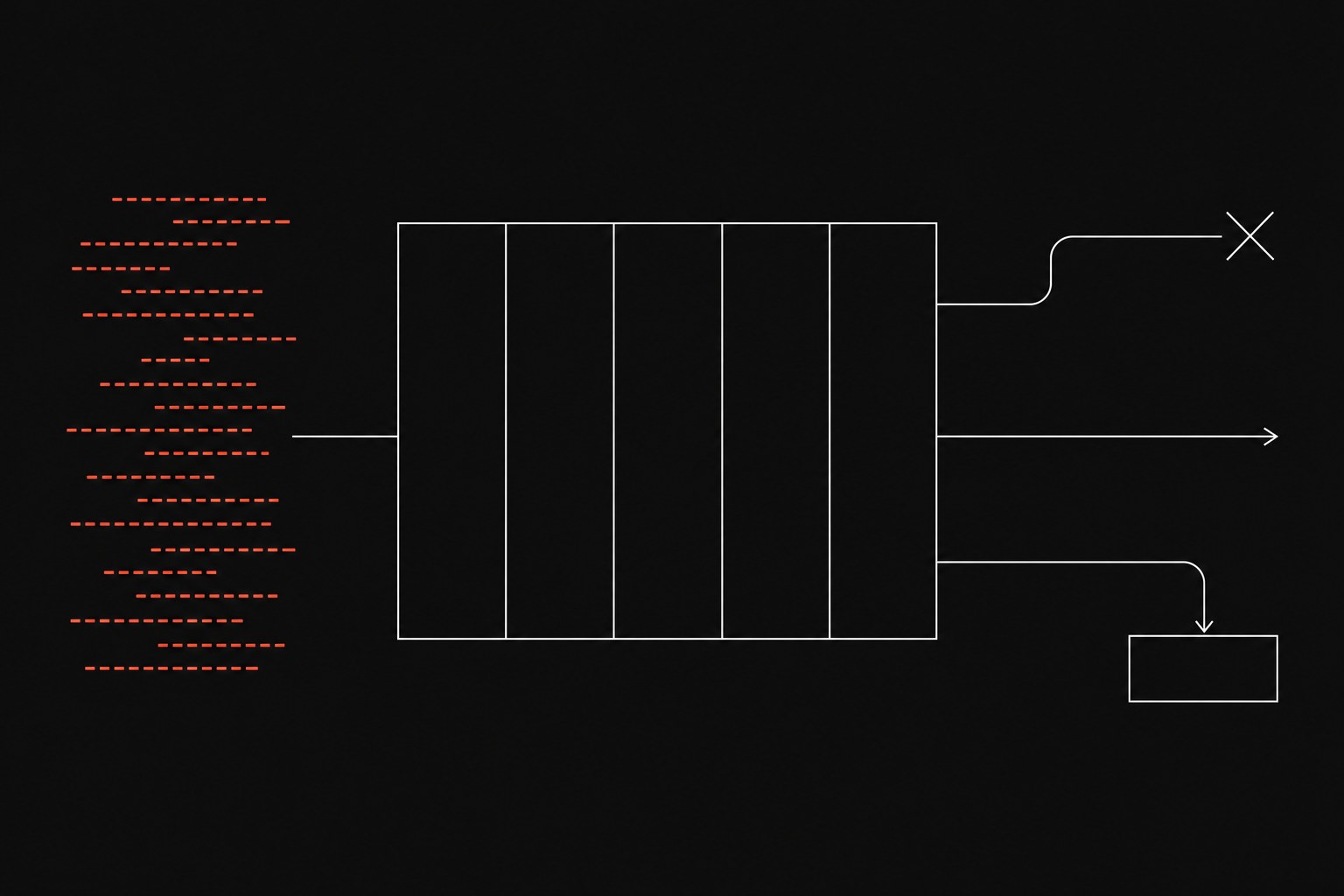
Open a blank tab in Excel or Google Sheets, or drop a table into a shared doc. Copy the five headers below. That table is the worksheet. The picture above is only the shape of the decision: unnamed leftover work goes in, five columns sit in the middle, and each row leaves as stop it, automate it, or keep a person on the leftovers.
If you search for a "manual process inventory template," you will also get warehouse stock lists and SKU counts. Ignore those. You are listing the moments a person is still the integration, which is the same cost we call the manual tax once you put a number on it.
Two rows that usually show up in week one:
- Asking "any update?" in email because the official tracker is empty
- Pasting CRM rows into a spreadsheet because the official sync drops a messy field
What one row is
A row is one repeating job, not a department and not a job title.
- Not a row:
"Billing is messy" - A row:
"After the project manager marks the job complete, finance copies hours from the billing workbook into the invoice tool"
If you cannot point at the moment work leaves one person or one system and another person has to pick it up, you do not have a row yet. That moment is the handoff.
The five columns
Write them in this order. Later columns are noise if the earlier ones are vague.
| Trigger | Manual steps | Frequency | Error cost | Who waits |
|---|---|---|---|---|
| Signed-contract PDF lands in the coordinator inbox | Create the CRM account by hand, then clone last month's project board | Count for five business days | Misspelled legal name; finance reissues the invoice | Delivery lead cannot assign staff until the board exists |
Copy that header row into your own file. Keep it ugly: five columns, one tab, shared with the people who do the clicks. If you need a workshop to fill it, you have already overbuilt the intake.
Trigger is what starts the work, named so a stranger could watch for it:
- A signed contract in the inbox
- A CRM stage change to
"Closed Won" - A Friday afternoon export from payroll
- A client reply with an attachment
If you cannot name the trigger, you do not have a process software can wait on. You have a person who notices things.
Manual steps are the clicks, pastes, and tab switches, in the order a person actually does them. Do not write "update the CRM." Write the real sequence:
- Open the email
- Copy the legal name
- Create the account
- Paste the billing address
- Pick the delivery tier
- Open the project tool and clone last month's board
That list is what later becomes the checks in a workflow, or the proof that three jobs were taped together.
Frequency is times per week and minutes each time, counted for five business days, not estimated on a Friday. A forty-second paste that runs thirty times a day is a different problem than a twenty-minute weekly summary. Log the tab-switching too: three minutes and six window changes, every weekday, outweigh one long block that looks more serious on a timesheet.
Error cost is what breaks if the name is wrong, the billing code is missing, or the wrong delivery tier gets picked. Write the failure in a sentence:
- Reissued invoice
- Stalled kickoff
- A project board that delivery cannot staff
If the only cost is "someone is annoyed," leave the cell thin so you do not over-rank a preference.
Who waits is the person or team that cannot continue until this row is done. A five-minute personal reformat that nobody waits on is noise. A three-day onboarding stall because nobody created the project board is a bottleneck even when the clicks themselves took twelve minutes.
Fill one pathway for a week
Ask each lead for a five-day tally on one pathway. Keep the ask small enough that people will write.
Good pathways to start with:
- New-client onboarding
- Monthly billing
- Dispatch / next-job assignment
Count only work that repeats more than a handful of times a week. One-off heroics belong in a parking lot, not in this inventory.
The sample row above is labeled synthetic: a coordinator receives a signed-contract PDF, creates the CRM account by hand, then clones a project board. Frequency is whatever the week actually produced; do not pre-fill a volume. Write the failure on the row while it is still fresh ("misspelled client name", "omitted billing code", "wrong delivery tier"). Those sentences become the checks you put on a workflow later, and they also tell you when the row should stay with a person.
Price each row from the table
Stay on payroll for the first pass. Put repair time on a second line after you have a week of real misses. Do not import an industry percentage to make the file look finished.
Weekly Row Cost
Sum the rows you trust, then multiply by 50 working weeks if the work is year-round.
Annual Direct Cost = (Sum of Weekly Row Costs) × 50
If a row has a known repair from last quarter, a reissue or a kickoff that slipped, add that as its own line with hours and a rate you already pay. Leave the cell blank if you are guessing. A blank cell is more honest than a rounded savings claim.
Stop it, automate it, or keep a person
Do not automate a step you have not defined. You will ship bad records faster, and the exception list you were trying to kill will come back as a new tab.
Stop it when the step exists for a dead policy, an unread export, or a workbook nobody uses to decide anything. Removing it must not stall the person in the fifth column, so cut that row before you price a workflow.
Automate it when all three are true:
- The trigger is predictable
- The rules are the same every time
- The fields have names a machine can match
Build the transfer so a failure is visible: a queue, an alert, a record that stays in a holding state. If the transfer reports nothing, you have replaced copy-paste with a miss nobody sees.
Keep a person on judgment, messy client input, or a one-off interpretation. Automate the intake and the checks, then park the leftovers in a review queue with someone who owns the exception. That is still a designed handoff. It is a better outcome than declaring the whole row hopeless.
If the trigger or the waiter is blank, do not pick automate. You do not know what starts the work or who is stuck, and you will build the wrong thing.
When this list is the wrong tool
Skip the inventory when:
- The offer still changes every week. You will document work you will throw away, and the exercise will teach the team that process writing is theater.
- Every ticket is a custom interpretation with no repeatable milestone. You need the scoping problem solved first, not a five-column audit of unique jobs.
- You cannot change how another department uses its tools. Mapping a handoff you are not allowed to alter is a status report, and people will stop filling it.
Next step
Fill the five columns for one pathway. Pick the most expensive row that is allowed to become a workflow that fails in the open, not another morning paste and not a silent connector that dies without a ping. Flaux uses that inventory to choose the first workflow-automation engagement, the map-then-build sequence, instead of a tool list.