
Service software vendors build proprietary data models around isolated functional domains, which makes native event sharing between commercial platforms nearly impossible.
A sales CRM records pipeline stages and contract values, a scheduling calendar reserves staff time blocks, a field dispatch app tracks work order tickets, and an accounting system balances general ledger entries. Because each product treats its own internal transaction as the center of the universe, none of them broadcast live operational state changes to the rest of your stack.
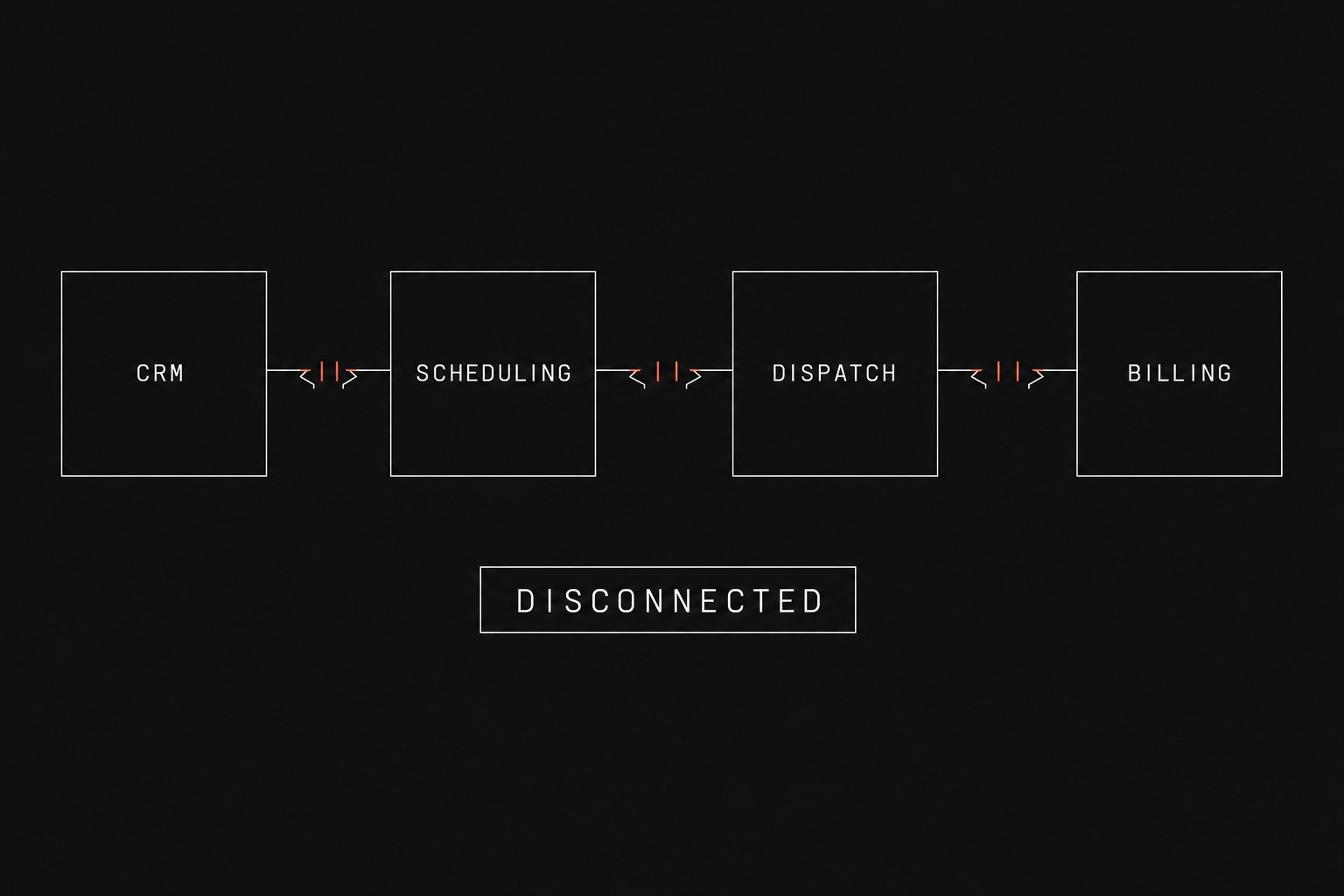
When work moves across department boundaries, your team must manually copy details between screens to keep delivery on track. That recurring friction represents the manual tax paid by growing service businesses, a burden you can calculate directly using our guide to quantify manual tax operations. Rather than software tools communicating automatically whenever a milestone finishes, coordinators spend multiple hours every week performing copy-paste CRM spreadsheet ops to bridge disconnected databases.
Understanding the architectural reasons behind tool isolation clarifies why point-to-point vendor plugins fail and how to design dependable handoffs between your teams.
The architectural divide between service tools
Every software application in your operations stack runs on an isolated relational model designed for a single department. When your sales team converts a prospect, the CRM marks a deal as closed-won, but that record possesses zero awareness of crew capacity, material lead times, or dispatch zones.
The moment work moves from sales to delivery, an operational handoff occurs (handoff = work leaving one person or system so another can continue). In an unintegrated stack, that handoff stalls immediately because each software application considers itself the primary system of record (system of record = the official tool that is supposed to hold the truth).
Weekly rekeying hours = Active jobs per week × Minutes spent transferring data per job ÷ 60Annual coordination cost = Weekly rekeying hours × 52 × Blended coordinator hourly rateThe table below illustrates why core business applications disagree on what constitutes a completed unit of work:
| Application type | Core entity | Success condition | Operational blind spot |
|---|---|---|---|
| Sales CRM | Deal / Opportunity | Contract signed | Cannot see technician availability or job backlog |
| Scheduling calendar | Calendar event | Time block reserved | Lacks scope details, equipment needs, and job milestones |
| Field dispatch app | Work order / Ticket | Tech marks complete | Ignores customer credit status and milestone billing terms |
| Billing software | Invoice / Ledger entry | Payment received | Has no visibility into job delays or unapproved change orders |
Because each database defines reality through a narrow lens, ordinary workflow updates fail to trigger downstream actions. A field technician taps "Job Complete" on a mobile device, but that timestamp stays trapped inside the dispatch database. The accounting department never receives a notification to draft the final invoice, and the account manager never learns that the client is ready for a renewal conversation.
Why native vendor integrations fail to bridge the gap
Software vendors frequently promote pre-built integrations, yet these native plugins rarely solve multi-stage operational workflows. Vendor connectors are typically designed for basic record synchronization rather than dynamic state orchestration. A standard native connector copies static text fields, such as pushing an account name and phone number from a CRM into an accounting program, but it cannot evaluate the operational rules that govern how service work moves.
Service operations teams frequently hit four major constraints with native vendor plugins:
- Static record mapping: Built-in plugins move basic text strings between matching database columns, but they cannot handle conditional business logic, such as holding an invoice until field photos pass quality review.
- Polling delays instead of instant triggers: Many legacy platforms run periodic batch checks on fixed hourly timers rather than sending immediate webhook notifications when an operational event occurs.
- Silent synchronization failures: When a record transfer fails due to an unexpected dropdown format or an incomplete street address, the integration often fails silently, forcing coordinators to hunt for missing records during billing reconciliation.
- Rigid one-to-one schemas: Native connectors assume a single deal maps neatly to a single work order, whereas real service operations routinely split one client contract into multiple recurring service visits and phased invoices.
When software systems fail to notify each other of completed milestones, operations coordinators must step in as manual communication hubs. Team members end up typing messages into internal chat channels like "Did anyone put the Miller job on the calendar for Thursday?" or "Tech says work order 814 is wrapped up, can we bill them?"
Designing an event-driven operations layer
Solving this friction requires decoupling operational events from individual vendor databases. Instead of relying on brittle point-to-point syncs, growing service organizations introduce a centralized workflow layer that listens for specific triggers, evaluates routing criteria, and pushes updates to the appropriate destination systems.
A dependable event-driven operations flow follows a predictable sequence:
- Capture the origin event: The CRM emits an instant payload when a contract receives an electronic signature, containing client scope, site location, and approved budget lines.
- Validate and enrich data: The orchestration workflow confirms the client billing address exists, checks current crew availability, and flags any required equipment rentals.
- Generate downstream records: The workflow creates an unassigned work order in the dispatch software, blocks provisional time on the master schedule, and posts a draft project milestone in the accounting tool.
- Notify assigned stakeholders: The system sends automated confirmations to the client and alerts the operations manager that a new job requires technician assignment.
- Close the loop upon completion: When the field technician submits the completed work order with customer sign-off, the workflow triggers the final invoice draft and updates the CRM account status automatically.
When not to build an automated event layer
Building custom event automation is not the correct choice for every service organization.
If your firm completes fewer than fifteen service jobs per month and your administrative team spends less than three hours a week manually moving data, you should not build an automated orchestration layer. At low transaction volumes, manual data entry provides sufficient oversight, and the ongoing maintenance of custom webhook connections or API keys exceeds the time saved.
Similarly, if your company delivers a completely standardized, high-volume service with fixed pricing and zero customization, choosing an all-in-one vertical industry application is generally preferable to managing a custom multi-tool stack. Accepting the workflow constraints of an all-in-one platform makes sense when your business model fits squarely inside a single vendor's preset templates.
Next step
If your coordinators spend hours copying customer records between your CRM, scheduling calendar, and accounting software, map your operational handoffs before purchasing additional software subscriptions. Flaux provides an operational AI assessment that audits your end-to-end service delivery workflows, pinpoints where manual data transfers create bottlenecks, and outlines whether your organization should deploy custom event orchestration or consolidate existing tools.