
Status updates migrate to email when the official tool, the system of record, charges a second sitting for a note that does not help the person who just finished the job.
The inbox wins because it answers the live question. The CRM answers last week's review.
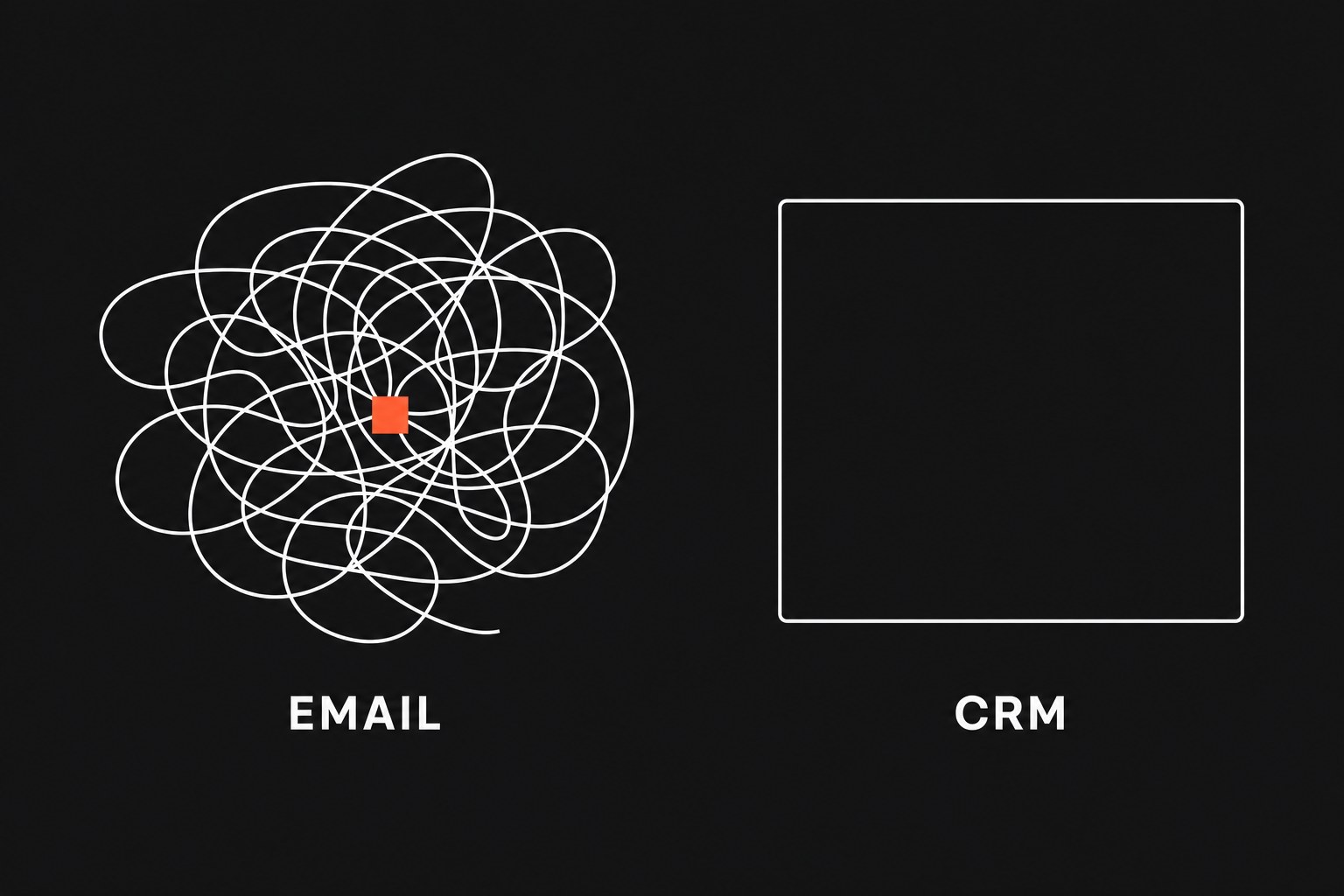
Managers file this under skipped training, then keep using a record that asks for work and gives nothing back. If logging that the crew left the site takes a browser, a stack of required admin fields, and a confirm screen, the update waits until the end of the shift or never happens. When a customer is on the phone, the coordinator emails the tech because that path unblocks the next move.
This is one slice of the manual tax: payroll spent asking colleagues what they are already doing, because the official record is not useful on the floor.
Why the official record loses
CRMs are good at billing history and the Monday ops review, and rarely good at finishing the current job. A technician, dispatcher, or project coordinator will use the tool that shortens the next ten minutes. A portal that only extracts data for someone else's dashboard loses that contest.
The official record loses when:
- Logging
"crew left the site"takes a browser, required admin fields, and a confirm screen - The person doing the work gets nothing back in the next ten minutes
- A customer is on the phone and email is the path that unblocks the next move
Access from a job site makes the mismatch worse. If the system demands a paragraph and gives nothing back in the moment, people route around it toward the inbox that already holds the next person. The CRM holds the fields finance will want later.
Once coordinators stop trusting the official record for live progress, they stop opening it and ask in a thread. Frontline staff answer there because it is faster than opening a second app, so the inbox becomes the working ledger and the CRM falls further behind. A reminder to "use the system" does not break that loop, because the tool still punishes the update.
What chasing actually costs
A status ping is a search through a long chain, a guess at which reply is current, and a retyped answer for whoever missed the last forward. Context lives in quoted blocks, not fields. When two coordinators ask the same tech about the same job, you pay twice and still do not have a record anyone else can query.
Yesterday's "any update?" becomes today's assumption about where the job stands. A customer callback uses the last email someone remembered, and dispatch plans the next truck from a thread that may be missing the latest photo or the parts hold. Nobody owns that ledger because nobody designed it as one.
If you want a number before you change the path, skip vendor percentages. Run a one-week sample on one job type and fill a worksheet.
Annual Status Chasing Cost
Label the cells:
- Coordinators: people who poll email or chat for job status
- Weekly lookups: "any update?" sends plus time spent digging through threads, counted for five days and scaled
- Hours per lookup: elapsed time from opening the inbox to a usable answer, including the wait for a reply
- Hourly rate: loaded cost for the person doing the chase, not the person in the field
Leave the product blank until the sample week is done, so the worksheet prices your chasing instead of decorating a slide. A stale CRM and a live thread that disagree also produce the wrong ETA or a second truck; price those misses by counting the senior time that unwinds them.
Write the status at the action
Asking people to log after the fact asks them to sit down and re-enter a fact they already told someone. Record the milestone as a side effect of the action they take to finish the job.
Meet the crew in the tool they already use: a mobile checklist, a dispatch form, a status tap on the work order. When they mark that they left the site or that parts are on order, that tap writes the master record. There is no second session and no mandatory essay field that exists so a manager can sort a report.
If the action lives on paper or in a radio call today, do not start by buying another CRM module. Name the milestone and the person who already knows it happened, then put a write at that moment. The CRM can receive the event. The person doing the work should not have to open the CRM to create it.
Push the handoff and fail out loud
Polling is what you do when the next person has to ask. Tie a notification to the milestone so that when a work order moves from active to review, the coordinator gets the notes and the exception without sending "any update?" Name a person or a queue, not a shared inbox that everyone ignores. If half the office gets every status change, they will filter it the same way they filter email, and you will be back to chasing.
A status event that fails between dispatch and the CRM should not disappear. Page the ops lead or the on-call coordinator with the record id and the field that broke. A visible miss gets fixed while the job is still in motion. A silent miss shows up as a customer call after the week has moved on.
Copy-paste bridges and unattended point-to-point scripts fail this test. Someone maps a field once, a vendor changes a column, and the write dies. Coordinators notice days later when a customer asks a question the CRM cannot answer, then they go back to email because a human at least saw the message.
People will use the official record if they believe it is current. Map the path first: who knows the milestone, who needs it next, what "done" means, and what happens when the write fails. Then build the workflow so a miss is louder than a successful copy-paste.
When the thread is still the right record
Automated handoffs fit high-volume work with named stages: dispatch, recurring maintenance, onboarding, repeatable orders. Keep the thread when the next step is judgment you cannot encode yet.
A feasibility review, a one-off price, or a scope fight needs a conversation, and a pipe that only fires "in review" does not replace the argument. If you run fewer than ten custom engagements a quarter, the build and the exception handling can cost more than the pings. If the team cannot agree what "done" means on that job type, automating the status change only speeds up a mess.
Keep those judgment-heavy jobs in the thread and move the high-volume path off email. For that path, skip the campaign to "use the CRM more" and change where the event is written and who gets told.
Next step
If coordinators still poll email for job status, the CRM is collecting data it does not give back, so bring one job type where status still lives in the inbox. Flaux's workflow-automation work starts there: map the handoff, then a workflow that fails visibly instead of another copy-paste bridge or a silent script.