
When a software sales rep says their platform integrates with everything, they usually mean you can download a spreadsheet and upload it somewhere else.
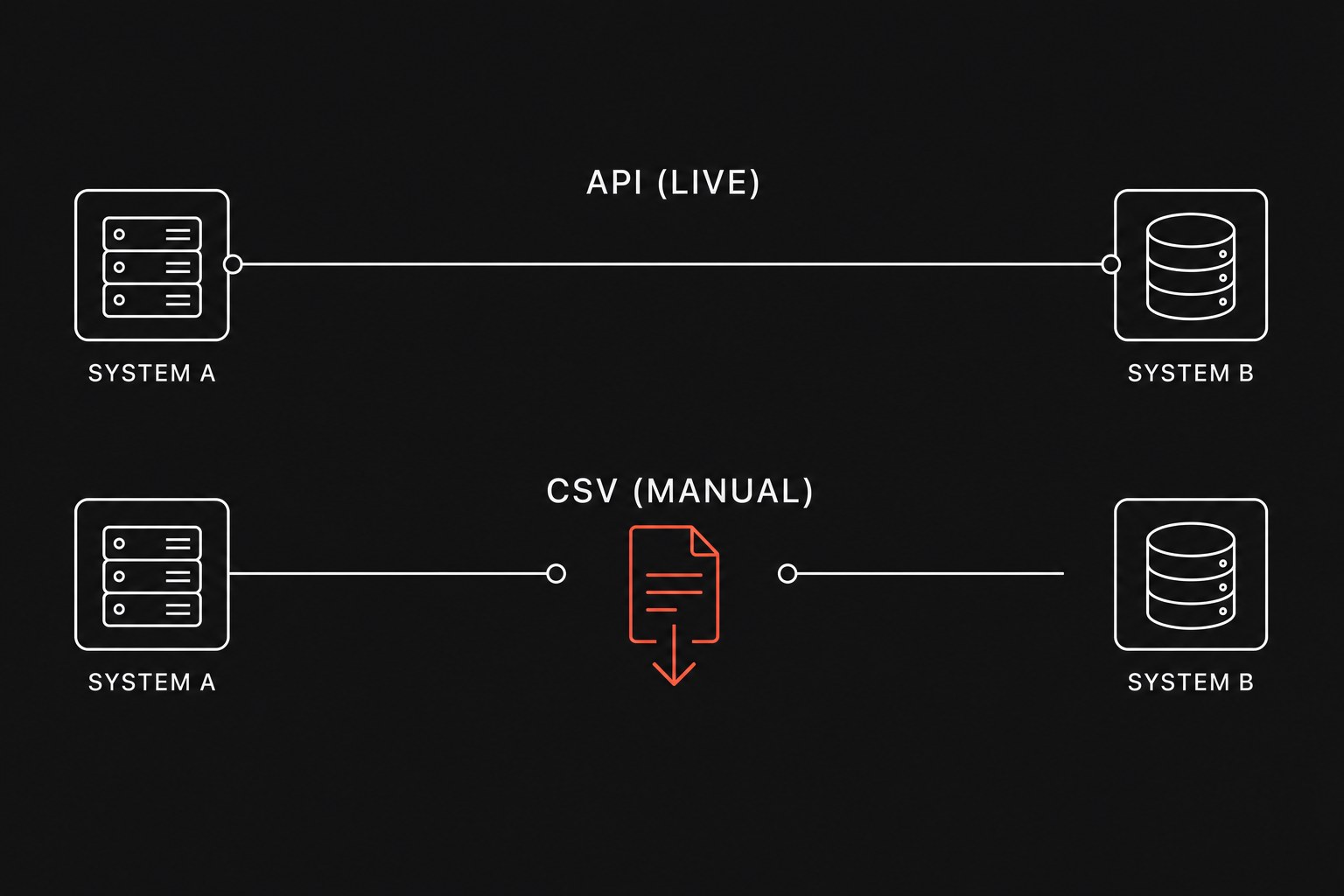
A file export is not a live connection. In practical operations, an integration only exists if data moves between systems automatically when work happens, without an employee acting as human middleware. If your weekly routine requires someone to click an export button, clean up date columns in Excel, and upload the resulting file into your accounting software, you have a manual data entry chore with extra steps.
Teams that build a stack inventory before an automation sprint usually discover that half their software runs on disconnected files. When systems do not talk directly, operations suffer from tools with no shared events, forcing coordinators to spend hours matching records instead of serving clients.
What vendors mean when they claim integration
Sales demos compress several completely different technical mechanisms into the word "integrates." Before signing a contract, you have to ask what the data transfer actually requires.
Here is what you are usually buying:
- Manual CSV export and import: The vendor gives you a button to download comma-separated values (a plain-text spreadsheet file) and another screen to upload it. Any data cleansing, column matching, and error correction falls squarely on your team.
- Scheduled flat-file drops: The system generates a file on a timer and places it onto a secure server. This removes the manual download click, but it still runs on batch delays and breaks the moment someone changes a field name.
- Pre-built platform connectors: The vendor maintains a direct connector with common platforms like QuickBooks or HubSpot. These work well when your workflow matches their rigid assumptions, but they fail if you track custom job fields or non-standard billing schedules.
- Direct REST APIs and webhooks: An API (an application programming interface, which is a digital door allowing software to talk directly to software) and a webhook (an automated message sent the instant an event happens) allow custom pipelines to push and pull records automatically.
Comparing file transfers, connectors, and live APIs
Understanding the operational trade-offs helps you decide when a manual process is fine and when it is draining your payroll.
| Connection Type | Update Speed | Failure Mode | Maintenance Burden | Typical Use Case |
|---|---|---|---|---|
| Manual CSV Transfer | Days or weeks behind | Unnoticed column shifts; failed rows discarded silently | High recurring labor every single week | Monthly financial close; annual audits |
| Pre-built Native App Connector | Minutes to hours | Silent sync freezes; generic "Sync Error" alerts | Low setup effort, but zero ability to customize rules | Standard invoice creation in basic accounting tools |
| Direct API with Webhooks | Real time (sub-second) | Structured error codes caught by automated retry logs | Requires initial technical build and occasional token updates | High-volume job dispatching; custom CRM to ERP pipelines |
The hidden labor tax of spreadsheet handoffs
A handoff (work leaving one person or system so another can continue) that relies on files introduces three distinct operational costs: labor, latency, and reconciliation drift.
Consider a 40-person field service or consulting firm where two coordinators spend four hours every Friday exporting completed jobs from the dispatch system and importing them into billing.
Weekly Labor Hours = 2 Staff × 4 Hours = 8 Hours
Annual Labor Cost
That routine consumes $14,560 a year in straight payroll just to move numbers between databases that both have internet connections.
Beyond the dollar cost, batch file handoffs create operational blind spots. If billing only updates once a week, account managers spend Monday through Thursday asking colleagues "Did this invoice go out yet?" or looking at stale numbers in their system of record (the official software tool designated to hold the truth).
When someone formats a date as DD/MM/YYYY instead of MM/DD/YYYY, the import fails halfway through. The coordinator fixes ten rows manually, guesses on two missing customer IDs, and accidentally creates duplicate customer accounts that take months to untangle.
The technical realities of building direct API pipelines
Direct API connections solve the latency problem, but they introduce engineering constraints that non-technical leaders must account for.
First, software vendors protect their servers with rate limits (rules that restrict how many requests your integration can send per second). For example, QuickBooks Online limits standard apps to 10 concurrent requests per second. If an automated script tries to update 500 invoices simultaneously at 5:00 PM, the accounting server rejects the traffic with error codes. Your pipeline must include queuing logic that spaces out requests.
Second, connections require authentication tokens that expire. If an integration is built without automated token refresh handling, the pipeline simply stops running every few months until an administrator re-authorizes the connection.
Third, webhooks can fail if your receiving endpoint is momentarily unavailable. Reliable API workflows maintain an event log so missed transactions retry automatically instead of disappearing into the void.
When a CSV export is actually the right choice
Direct API automation is not mandatory for every workflow in your firm. Building and maintaining custom code carries overhead, and there are situations where a simple file download makes more business sense:
- Low-frequency tasks: If an operation happens once a quarter (such as bonus calculations or annual tax prep), spending $5,000 on custom API engineering to save 45 minutes of quarterly work is bad math.
- One-time system migrations: When migrating historical data from an old CRM to a new one, running structured CSV imports with human validation catches old data quality issues before they pollute the new environment.
- Ad-hoc exploratory analysis: When leadership asks an unusual question like "Which project types had the highest margin variance in 2024?", pulling raw files into a spreadsheet or BI tool is faster than building a permanent software bridge.
For daily, revenue-critical workflows, however, relying on manual file transfers is an operational trap that caps your firm's ability to scale.
Next step
Map the five most frequent manual data handoffs across your team and identify whether each one is running on manual files, rigid vendor connectors, or open APIs.
To determine whether your operational bottlenecks require custom API automation, existing connector refactoring, or tool consolidation, Flaux runs an operational AI assessment that audits your software stack and delivers a clear execution roadmap.