
Dumping raw webhook failures into a general Slack channel does not create accountability; it guarantees that your team will eventually mute the channel and miss a client-facing failure. When a payment sync or project creation step breaks, sending a wall of JSON text to ten people creates confusion about ownership while the actual handoff (work leaving one person or system so another can continue) sits stalled in the background.
Service businesses scaling past twenty people usually start with basic notifications through Zapier Manager or email-to-Slack forwarding. Over time, rate limits, expired authentication tokens, and malformed customer inputs generate dozens of daily pings that teach staff to ignore system alerts. As we explored when looking at silent failure patterns and evaluating Zapier vs n8n, reliability comes from separating temporary network glitches from true operational failures.
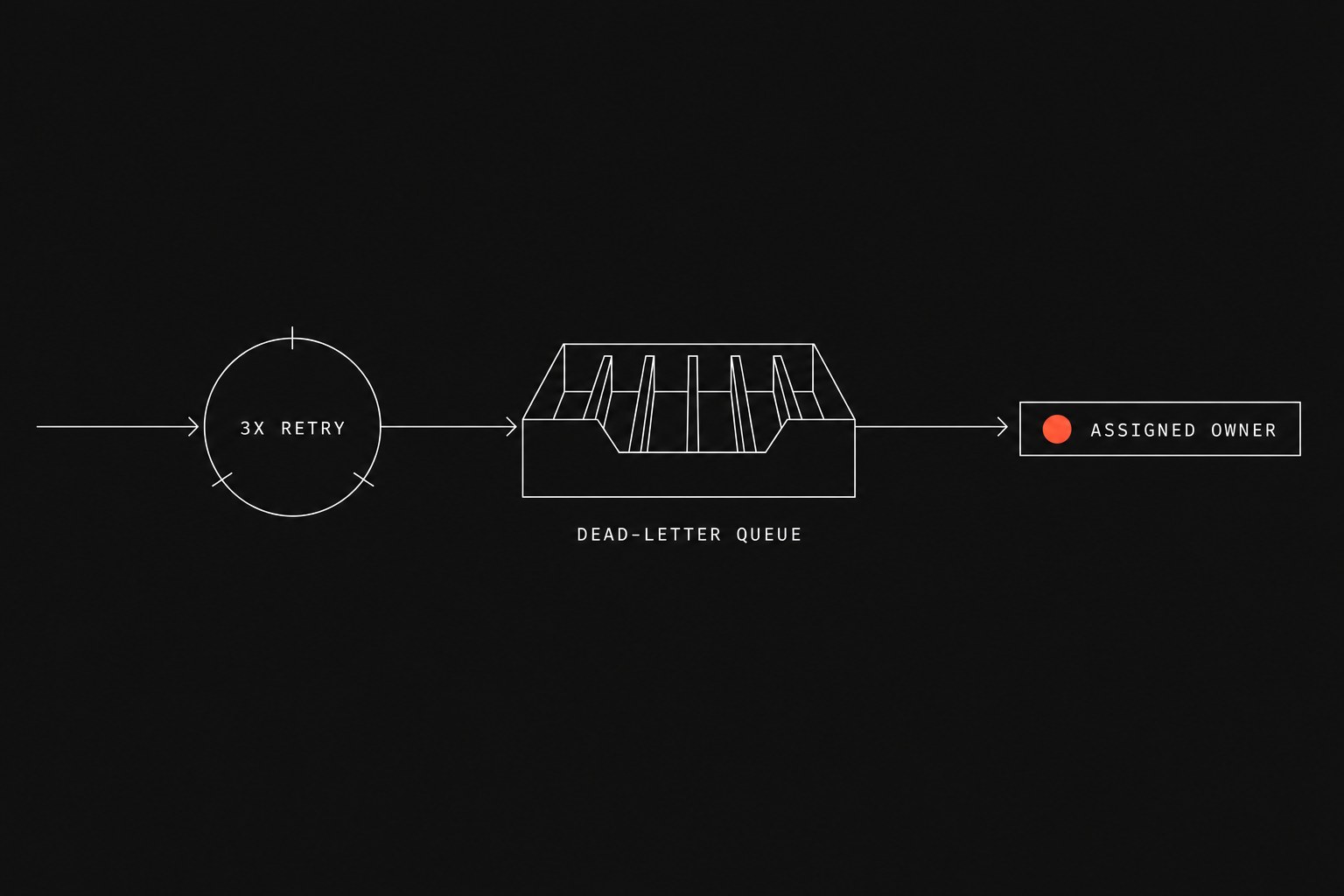
Fixing this requires a three-tier architecture: automatic retries for temporary network hiccups, a dead-letter queue (a dedicated storage table holding failed payloads until someone inspects them) for broken records, and structured Slack messages routed only to the person who can fix the problem.
The three-tier error architecture
A resilient pipeline handles errors in stages rather than treating every hiccup as an immediate emergency.
Incoming Webhook / Trigger
           │
           ▼
   [ Workflow Step ] ───(Success)───► [ Next Action ]
           │
        (Failure)
           │
           ▼
    [ Tier 1: Automatic Retry ] ───(Recovers)───► Continue
           │
     (Still Failing)
           │
           ▼
    [ Tier 2: Dead-Letter Queue ] ───► Stored in Database
           │
           ▼
    [ Tier 3: Actionable Alert ] ───► Tagged Person in Slack
Tier 1: Automatic retries with backoff
Most third-party software outages last less than ninety seconds. If your workflow tries to push an invoice to QuickBooks while their API returns a 503 status code, failing instantly and messaging your lead coordinator creates unnecessary manual work.
Configure the step to retry three times using an exponential delay calculation.
retry_delay = initial_wait × backoff_factor
For example, set an initial wait of 10 seconds with a backoff factor of 2:
- First retry: 10 seconds after failure
- Second retry: 20 seconds after the first retry
- Third retry: 40 seconds after the second retry
If the target system recovers within that minute, the step succeeds and your team never needs to know a glitch happened.
Tier 2: The dead-letter queue
When all retries fail, the record must not vanish into workflow execution history. If a new client enters an invalid postal code on an onboarding form, no amount of retrying will fix the payload.
Route the failed payload directly to a centralized table in your system of record (the official tool that is supposed to hold the truth, such as a PostgreSQL database, Airtable base, or Supabase instance). Store four specific columns:
workflow_name: The specific process that failed (for example,client-onboarding-v2).record_id: The identifier of the deal, client, or invoice involved.payload_json: The exact incoming data so nobody has to re-type customer details.error_message: The exact response code and text returned by the failing API.
Saving the raw payload guarantees that once someone corrects the underlying data, they can trigger a replay without asking the client to fill out the form a second time.
Tier 3: Targeted, actionable Slack alerts
Only when a record lands in the dead-letter queue should a notification enter Slack. Never send these alerts to a public #general or #operations channel where everyone assumes someone else is handling it.
Send the notification to a dedicated #ops-triage channel and mention the specific role or coordinator responsible for that workflow domain.
Every notification must contain four elements:
- What broke: The workflow name and customer name in plain English.
- Why it broke: The sanitized error explanation (for example, "HubSpot rejected deal: missing field 'Contract Value'").
- Direct link to the record: A URL opening the source record in your CRM or form builder.
- Triage button or link: A one-click link to re-run the payload after fixing the source data.
Triage escalation matrix
Use this matrix to determine where an error belongs before writing any notification logic:
| Failure Type | Example Root Cause | Triage Path | Notification Target |
|---|---|---|---|
| Temporary Network Issue | Stripe returns 502 Bad Gateway | 3 retries over 90 seconds | No Slack message if resolved |
| Schema or Validation Error | Customer entered 9 digits for phone | Dead-letter queue immediately | Billing Coordinator via #ops-triage |
| Authentication Expiration | DocuSign integration token expired | Dead-letter queue + pause run | System Admin via direct mention |
| Upstream Dependency Missing | Deal closed without assigned PM | Dead-letter queue | Account Executive who owns the deal |
Structuring the Slack alert payload
When an alert hits Slack, coordinators should not have to parse JSON stacks or ask in chat "who is looking at this?"
Structure the message using standard Slack blocks so the action items stand out clearly:
🔴 Workflow Alert: New Client Provisioning Failed
Client: Acme Corp (Deal #4821)
Error: QuickBooks returned "Duplicate customer name already exists."
Assigned: @sarah.ops

Actions:
• View in HubSpot: https://app.hubspot.com/contacts/...
• View in Dead-Letter Queue: https://ops.internal/dlq/9182
• Replay after fix: [ Re-run Workflow ]
When your team sees an alert formatted this way, the assigned person can open the CRM, update the customer name, click replay, and resolve the handoff within two minutes.
When not to build dead-letter queues
Do not build three-tier error paths for every small script in the company.
- Internal read-only reporting: If an hourly dashboard sync to Google Sheets drops a run, the next hourly run will overwrite it anyway. Adding database logging here adds complexity with zero operational gain.
- Transient activity logs: Webhook listeners that log employee login timestamps or page views do not justify manual triage queues.
- One-off batch migrations: If you are importing 5,000 legacy contacts as a one-time project, review errors in a CSV export rather than building replay queues.
Reserve dead-letter queues and targeted alerts for workflows that touch revenue, client onboarding, service delivery, or billing handoffs.
Next step
If your team spends hours each week tracking down why an onboarding form stopped halfway through, we run this diagnostic as part of a Flaux workflow automation engagement.
Map your manual tax to identify which operational handoffs are dropping data silently and turn them into visible, reliable workflows.