
Operational AI readiness for a service business is not an IT audit or prompt-writing test, but a filter that decides whether software can handle a job without creating hidden labor. When an agency, consultancy, or field service firm introduces an LLM into an unstable process, the model does not fix the underlying confusion. It merely accelerates bad handoffs and forces senior team members to spend their afternoons auditing generated mistakes.
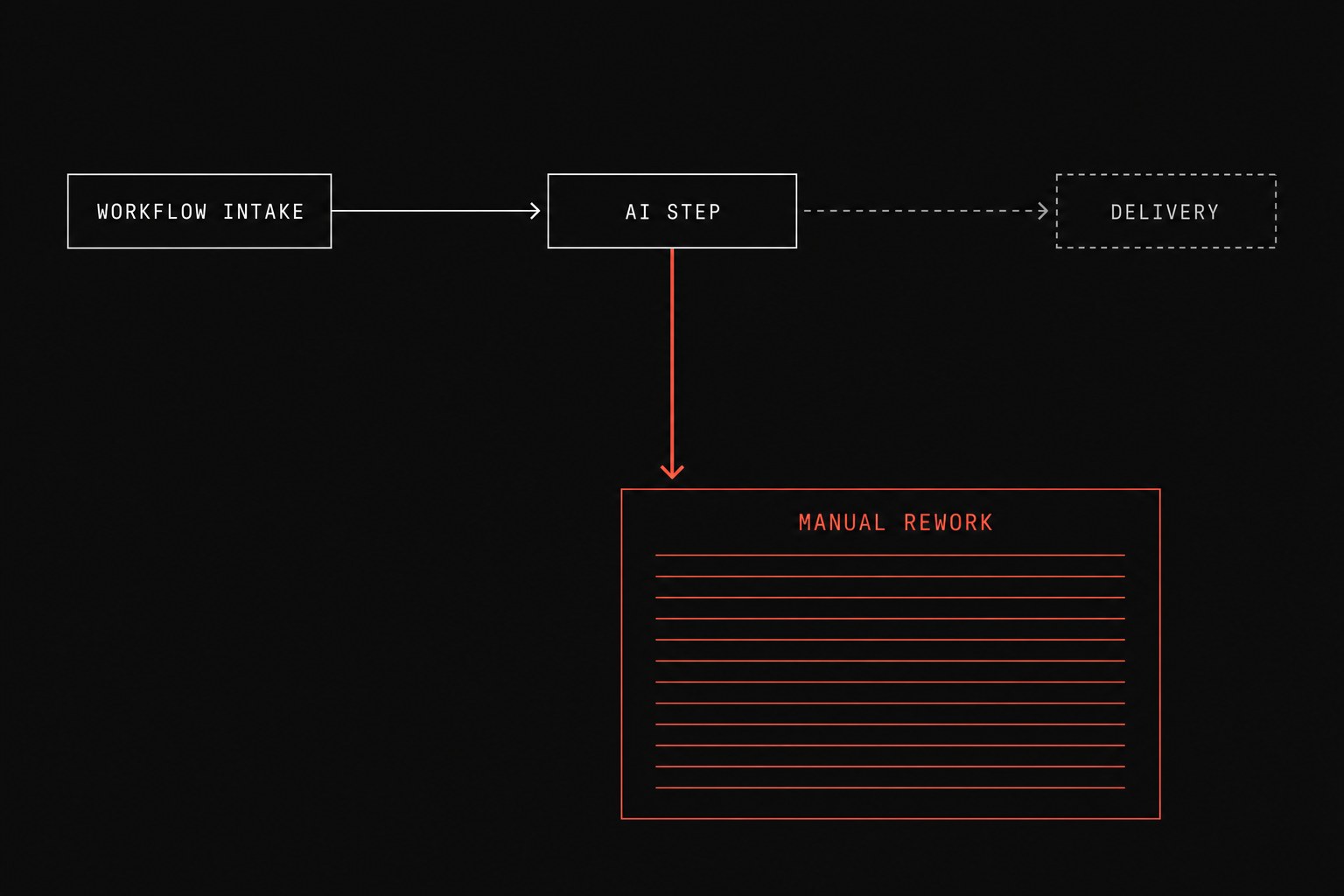
If your team is struggling to keep standard client deliverables moving on schedule, jumping straight to generative tools usually makes things worse. You must fix process before you automate because software requires predictable boundaries to be useful. When tools operate across disjointed platforms, ops tools without shared events create blind spots where neither staff nor models can track what happened.
Evaluating your operations requires looking at five specific operational conditions before committing budget or engineering time to AI.
The operational readiness scorecard
Use this scorecard on a single target workflow, such as client onboarding, scope estimation, or job closeout, before testing any AI tool.
| Readiness Area | Passing Standard | Failure Mode if AI is Added |
|---|---|---|
| 1. System of Record | Single tool holds verified truth for every field; no ghost spreadsheets. | AI references stale notes and generates incorrect customer deliverables. |
| 2. Exception Rules | Clear edge-case rules define when to stop and escalate to a human. | Hallucinated decisions bypass policy and reach clients directly. |
| 3. Deterministic Baseline | Standard path already runs on rigid rules and automations without breaking. | AI is blamed for basic integration failures and missing trigger payload data. |
| 4. Validation Mechanism | A coordinator can verify AI output in under 60 seconds using structured logs. | Reviewing generated work takes longer than writing it by hand from scratch. |
| 5. Rework Cost Model | The business knows the exact hourly cost of correcting an automated error. | Unmonitored silent failures drain payroll across operations teams. |
1. System of record clarity
A system of record is the official tool that is supposed to hold the truth for your company data, whether that is a CRM, an ERP, or a project management hub. If your account managers keep private notes in Google Docs while coordinators rely on Airtable, an AI agent has no reliable baseline to query.
Before introducing an AI step, audit where the data lives:
- Every required input field must have an unambiguous home in your primary database.
- Account managers must not type critical contract details into unstructured email threads without logging them in the CRM.
- Historical records used for reference must be scrubbed of canceled projects, duplicate contacts, and expired rate sheets.
When models ingest conflicting data across multiple informal storage locations, they produce answers that sound confident but reflect outdated agreements. Your team then spends hours untangling why a client was promised legacy pricing on a new engagement.
2. Documented handoffs and exception boundaries
A handoff is work leaving one person or system so another can continue the process. In a manual workflow, experienced coordinators handle messy handoffs intuitively by asking a quick question in Slack or making an educated guess based on past projects.
AI models cannot make those intuitive leaps safely because they lack organizational context. You must define explicit guardrails for what happens when incoming data is incomplete:
"If the incoming project file does not specify billing terms, route the task to the billing coordinator queue instead of generating a default draft."If your standard operating procedure relies on phrases like "use your best judgment" or "handle as appropriate," the workflow is unready for machine handling. Document the exact criteria for escalation, including who owns the ticket when the input data falls outside standard parameters.
3. A deterministic automation baseline
Generative models are probabilistic, meaning they predict the most likely next step rather than following a strict calculation. They should never be used for tasks that simple, deterministic scripts can handle reliably.
If you have not yet automated the basic data-moving steps in your workflow, start with standard rule-based triggers. When businesses skip basic logic and jump to AI, they often encounter hidden bugs similar to the silent failures common in Zapier and Make.
Test your workflow against these technical prerequisites:
- Trigger payloads must pass clean, predictable JSON objects without dropped fields.
- Formats for currency, dates, and phone numbers must be normalized before hitting the model.
- Status changes must update the central database instantly so concurrent tasks do not collide.
Only after the plumbing moves structured data without intervention should you bring in a language model to handle synthesis, summarization, or text extraction.
4. Ground-truth verification protocols
An operational AI implementation must include a fast way for human operators to check outputs before they affect a client or vendor. If validating an AI-generated project summary takes fifteen minutes of digging through archived emails, the tool has negative operational value.
Design your review interface around these three principles:
- Display the source record directly alongside the generated output.
- Highlight specific extracted numbers and clauses so the reviewer does not have to read the whole document.
- Give the coordinator a one-click rejection path that sends the task into a standard human queue.
If your team cannot confirm that the output matches reality within sixty seconds, the interface needs redesign before deployment.
5. A defined rework cost formula
Every automation creates errors occasionally. Before deploying an AI tool, calculate your financial exposure when the model gets an edge case wrong.
To measure this vulnerability, run your numbers through the rework calculation:
rework cost
If an automated intake tool handles 200 client requests a month with an 8% error rate, it produces 16 bad records. If each bad record takes two hours of senior coordinator time to identify, trace, and correct at a loaded rate of $45 per hour, the monthly rework cost is:
monthly rework
That comes out to $1,440 per month in wasted coordinator payroll just to clean up after the software. If that cleanup cost exceeds the monthly hours saved on the successful runs, the workflow is not ready for automated production.
When not to deploy operational AI
Do not deploy AI into a service workflow if any of the following operational realities apply to your firm:
- The process changes every two weeks. If your service delivery model is still evolving through weekly client experiments, hardcoding it into an AI pipeline will freeze an unstable workflow.
- The volume is below twenty transactions a week. When transaction volume is low, training staff to monitor an automated tool costs more time than doing the task by hand.
- The output carries direct regulatory or legal liability. Never let an unverified language model write binding contract terms, structural engineering specifications, or medical advice without mandatory peer review.
- Your team cannot agree on what a good deliverable looks like. If two practice leaders grade the same project summary differently, software cannot resolve the disagreement for them.
Next step
The fastest way to avoid costly software missteps is to map your operational bottlenecks and test each candidate workflow against these readiness criteria before signing software contracts. Flaux provides an operational AI assessment that audits your firm's handoffs, calculates real rework costs, and identifies whether a deterministic fix or an intelligent workflow will deliver the cleanest return.