
Automating a simple notification requires nothing more than an off-the-shelf connector, but orchestrating the delivery of client work across multiple systems demands an engine that handles partial failures without creating ghost records.
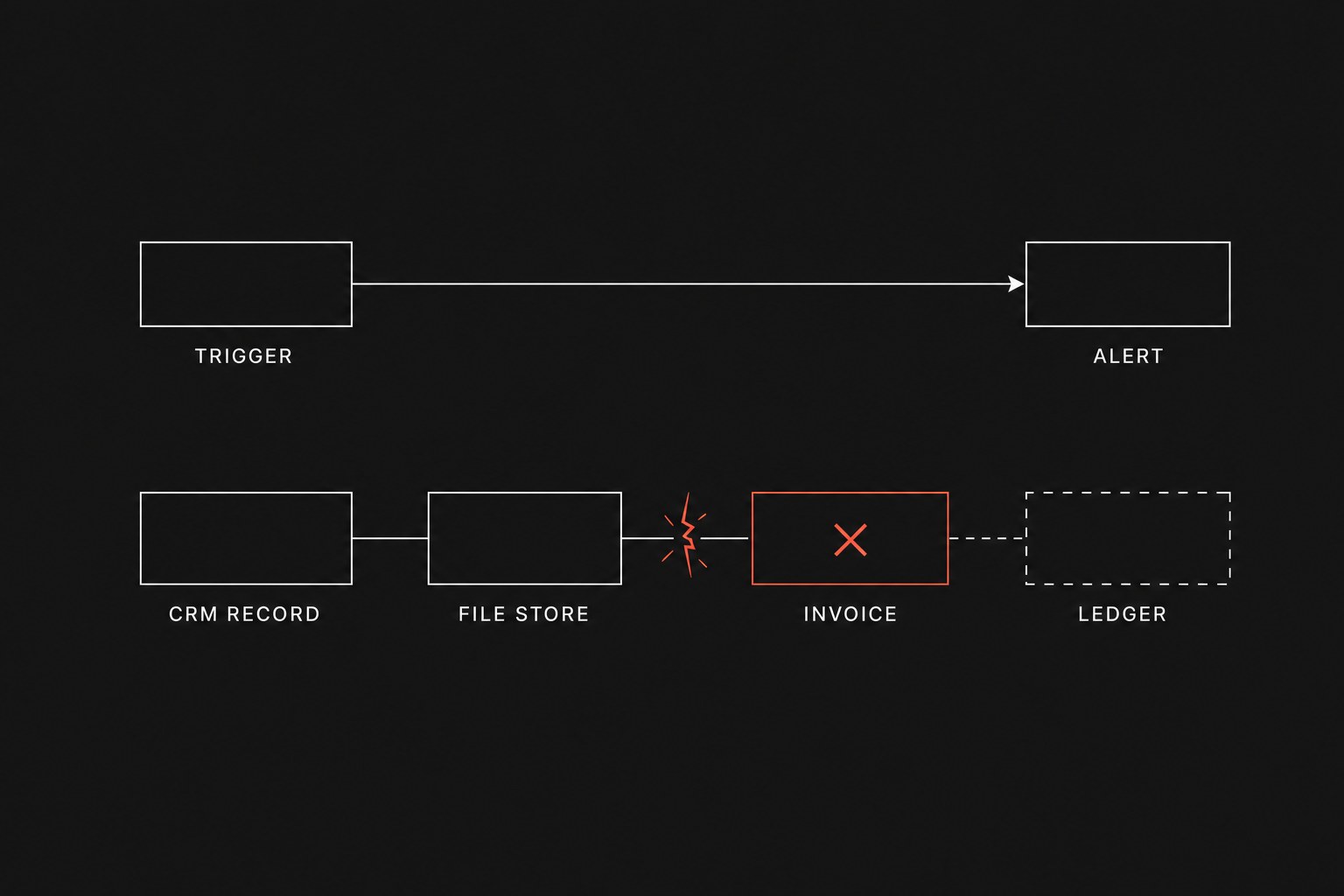
When a team of twenty to two hundred people runs client onboarding, order dispatch, or billing reconciliation, the distinction between a casual alert and an operational handoff (work leaving one person or system so another can continue) determines whether automation saves labor or multiplies manual corrections. Point-to-point triggers reliably push an update from a contact form into a chat room. Once a workflow creates records across four tools, changes account statuses, and triggers calendar invites, standard cloud automations begin to show severe operational limits. Understanding where lightweight connectors hit a wall protects your system of record (the official tool that is supposed to hold the truth) from becoming untrustworthy.
Before adding more layers to an existing stack, it helps to review fix process before you automate and understand zapier make silent failure ops so your team does not cement broken steps into code. Comparing the operational profiles in zapier vs n8n operations also shows how execution visibility changes as transaction volume grows.
Where lightweight triggers work well
Zapier earns its keep in early-stage pipelines and low-consequence notifications. When a process involves two steps and the outcome of a dropped run is merely an unposted status message, building custom infrastructure is unnecessary overhead.
You can safely keep Zapier in place when a workflow meets three conditions:
- The transaction path is strictly linear with two or three total actions.
- A failed run causes no downstream data corruption because no intermediate records were generated.
- A team member manually reviews the destination tool as part of their routine daily checklist.
For example, routing a form response to an internal channel so an account manager can type "I will take this lead" is a solid use case. If the connector hiccups, the form provider still stores the raw submission, and someone checks the native dashboard anyway. The cost of failure is negligible.
The failure modes of multi-step service delivery
The trouble begins when a single client event must trigger state changes across your entire operating stack. A standard client kickoff workflow often looks like this:
monthly task burn = steps per run × runs per month
A typical onboarding chain illustrates why this calculation matters:
- Trigger: Client completes intake questionnaire
- Step 1: Create company and primary deal in CRM
- Step 2: Create structured client folder in cloud storage
- Step 3: Provision project board with milestone template in task tool
- Step 4: Generate draft retainer invoice in accounting platform
- Step 5: Send automated confirmation email with schedule link
If Step 4 fails because the client tax jurisdiction field contains unexpected punctuation, Zapier halts the run immediately. It does not roll back Step 1, Step 2, or Step 3.
The operational consequence is severe. Your CRM shows an active client, your cloud storage has an empty folder, and your project tool has an assigned workspace, but your accounting system has no invoice and the client never received an onboarding message. Because the automation platform stopped midway, your team has no native transaction rollback. A coordinator must manually audit four systems, locate the half-created assets, delete duplicate folders, and guess what data needs manual re-entry.
When operations staff say "the Zap ran, but half the client record is missing," you are paying a manual debugging tax on every failed run.
| Operational requirement | Two-step alert (Zapier sweet spot) | Multi-step core handoff (Liability zone) |
|---|---|---|
| Failure impact | Minor inconvenience with one unposted message | Inconsistent state across CRM, billing, and project tools |
| Recovery mechanism | Re-run trigger or read the original form inbox | Manual database cleanup across multiple SaaS tools |
| Data validation | Basic field mapping | Custom type checks, regex filtering, and branching logic |
| Audit trail | Individual task log per run | Full execution payload inspection with step-level input and output |
| Volume scaling cost | Predictable, low monthly tier | High task consumption on branching or loops |
Task bloat and pricing traps
Task-based pricing structures create perverse incentives for operations teams. In platforms that charge per executed step, adding protective verification checks costs money on every single run.
If you add three lookup steps to verify whether a customer already exists before creating a record, you double your billable task count. Teams frequently strip out validation logic, defensive retries, and error notifications just to stay within their subscription tier. Building fragile workflows to avoid pricing penalties turns your automation stack into an operational hazard.
Furthermore, high-volume polling triggers consume task capacity even when no meaningful business events occur. When an unhandled edge case causes an unintended loop between two synchronized tools, an account can exhaust its monthly task allowance in three hours, freezing critical operations across the entire company until an administrator buys add-on capacity.
When to move beyond simple trigger automations
Do not replace working Zaps that handle low-stakes utility jobs. You should only migrate workflows to an orchestrated engine when the manual cleanup cost exceeds the setup investment.
Keep your current setup if:
- The workflow runs fewer than fifty times a month and touches only two systems.
- A human manually confirms every output before client work begins.
- The source system natively stores the master record and allows one-click bulk re-exports.
Transition to a dedicated orchestration platform when:
- A failure in step three leaves orphan data in steps one and two that requires manual deletion.
- Your process requires conditional branches, automated retries with backoff delays, or persistent state tracking.
- You need to process arrays of line items without triggering hundreds of individual task charges.
- Compliance or client security requirements demand self-hosted data processing where third-party cloud aggregators cannot inspect the payload.
Next step
The durable alternative to stringing together brittle point-to-point Zaps is engineering workflows that fail visibly, validate inputs before execution, and maintain clean handoffs between your operational tools. Flaux designs and implements production workflow automations for growing service firms so your team stops cleaning up broken records and starts running on dependable infrastructure.