
Field service management platforms excel at moving clean, linear work from a customer estimate to a final invoice, but every operational exception forces dispatchers back into a shared spreadsheet.
When jobs require multi-stage material staging, split technician shifts, or custom subcontractor margins, rigid platform data models break down immediately. The software functions as the intended system of record (the official tool that is supposed to hold the truth), yet the actual coordination happens in an off-book workbook.
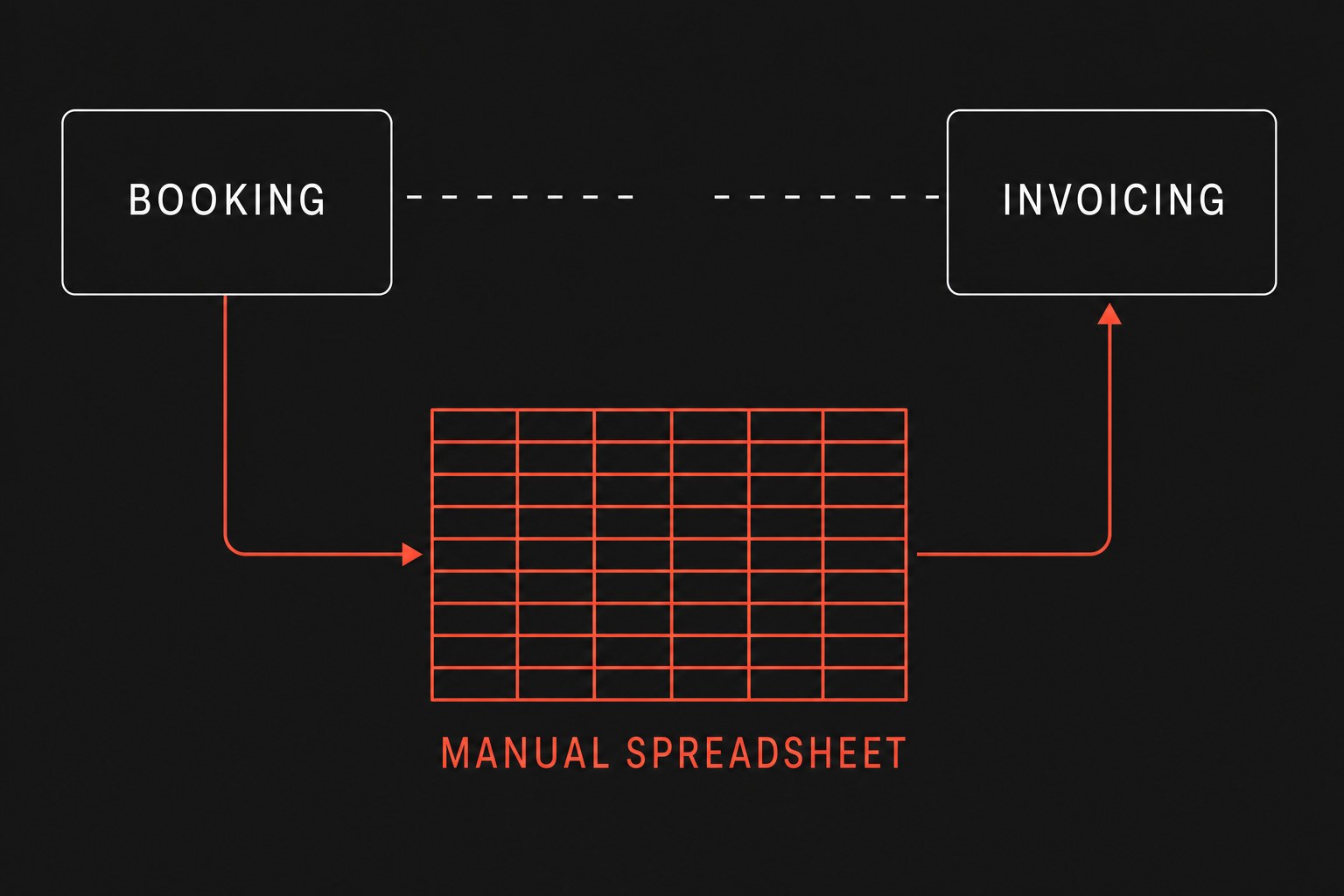
This disconnect is not caused by stubborn dispatchers refusing to use modern software. Coordinators create shadow sheets because core field service software enforces rigid constraints that do not match the physical reality of messy service calls. When dispatchers need to track details that the software cannot accommodate, they export raw CSVs and build custom workbooks to run daily operations.
The three operational gaps that create spreadsheet glue
Most service businesses run into friction at predictable handoffs (work leaving one person or system so another can continue). While standard dispatch calendars handle single-technician maintenance visits cleanly, complex workflows trigger three distinct operational gaps.
1. Multi-stage material staging and warehouse holds
Field service platforms track line items on an invoice, but they rarely track physical inventory readiness across warehouse bays before dispatch. If a commercial HVAC replacement requires a custom compressor arriving Tuesday and crane rental verification on Wednesday, a dispatcher cannot risk scheduling the technician based solely on an open job ticket.
The coordinator creates a staging sheet with columns like "Parts Received at Bay 3," "Subcontractor Confirmed," and "Customer Gate Code." The dispatcher trusts this workbook over the main platform because scheduling a crew without verified parts burns billable hours. You can read more about how informal coordination breaks down across teams in our breakdown of field team spreadsheet handoffs.
2. Cross-job technician routing and dynamic skill matching
Platform dispatch boards assign work based on geographic zones and static technician profiles, but real dispatch decisions factor in temporary constraints. If senior technicians are mentoring apprentices or carrying specific diagnostic tools, automated routing engines often recommend assignments that dispatchers must immediately override.
Dispatchers build routing matrices in Excel to calculate travel buffers, vehicle weight limits, and technician preferences. They spend thirty minutes every morning adjusting schedules in the sheet, then manually re-keying those appointments into the field service platform.
3. Real-time job costing and margin visibility
Field platforms store labor hours and part costs, but shop owners need gross margin visibility before a job closes, not three weeks later when accounting finishes reconciling timesheets. When unexpected site conditions add four hours of overtime or require extra conduit from a local supplier, dispatchers track those variances in a side sheet to calculate real-time job profitability.
Service managers frequently export weekly data into custom spreadsheets because the canned reports inside the platform cannot group blended technician labor rates with third-party equipment rentals. The business ends up maintaining two conflicting records of job profitability.
Annual manual tax = Weekly export hours × Hourly coordinator cost × 52 weeksIf two dispatchers each spend 6 hours weekly maintaining shadow tracking sheets at a loaded labor rate of $35 per hour, the annual cost of manual data entry adds up quickly:
Annual manual tax = 12 × $35 × 52The resulting $21,840 annual expense does not account for the downstream costs of missed parts, billing errors, or miscommunicated schedule changes.
Comparing operational tracking methods
When service businesses outgrow default field service platform workflows, they generally handle operational exceptions through one of three mechanisms.
| Workflow Area | Built-in FSM Platform | Shadow Spreadsheet Glue | Orchestrated Event Workflows |
|---|---|---|---|
| Material Readiness | Status toggles on invoice line items without warehouse location tracking | Manual row entry with bay numbers, tracking links, and notes | Webhook triggered by supplier delivery updates job status automatically |
| Schedule Exceptions | Rigid drag-and-drop calendar with generic conflict warnings | Custom spreadsheet with custom formulas for travel, skills, and tools | Dynamic validation rules check technician certifications before booking |
| Job Costing | Historical reporting available only after invoice finalization | Manual formulas calculating blended overtime and daily material receipts | Real-time margin calculation posted back to the CRM job record on update |
| Error Visibility | Silent failures when field technicians skip non-mandatory fields | High risk of broken formulas, overwritten cells, and stale data | Visible alert posted to operations channels when required data is missing |
| Data Integrity | Locked database schema that cannot adapt to unique field workflows | Uncontrolled copies diverging from the primary database | Bidirectional synchronization between platforms and structured logs |
When spreadsheets are still the correct tool
Spreadsheets are not inherently bad tools. Replacing every single workbook with custom automation creates unnecessary maintenance overhead for processes that are still changing. Keep the spreadsheet if any of the following conditions apply:
- The process changes weekly: If your shop is piloting a new commercial refrigeration service line and testing different checklist structures, hardcoding that logic into automated workflows will slow down operational experiments.
- Volume is fewer than five jobs per week: Low-frequency service calls do not justify the build and monitoring time required for structured data pipelines.
- One person owns the entire workflow: When a single coordinator orders parts, dispatches technicians, and bills the client without handing off work to other staff, personal spreadsheets rarely cause data collisions.
When jobs involve multiple handoffs between warehouse staff, dispatchers, field technicians, and billing coordinators, manual spreadsheets reliably drop context.
What to replace first
Eliminating spreadsheet glue does not mean ripping out your core field service platform. The goal is removing the manual copy-paste routines that connect your platform to your operational reality.
Begin by auditing the exact moments where dispatchers say, "Let me check the master sheet first." Look for:
- Tracking sheets updated more than three times per day.
- Workbooks where columns represent physical stages not supported by your software.
- Spreadsheets whose primary purpose is generating a daily summary email or Slack update.
Once you isolate the manual handoffs, connect those steps using event-driven workflows that validate data and notify the right team members when tasks stall.
Next step
Flaux runs systematic workflow automation engagements that map your team's operational handoffs and replace brittle copy-paste spreadsheets with resilient, event-driven workflows.